Download Music Videos From Vevo With Firefox
Audio and video out of sync on YouTube? You lot're certainly not the just one. While this tin be a frustrating outcome, it's fixable!
Fixes for audio and video out of sync on YouTube
Here're 5 fixes that have helped other users resolve their sound and video out of sync on YouTube in Windows 10 problem. Only piece of work your way down the listing until y'all find the one that works for you.
- Try playing some other TV prove or movie
- Update your drivers
- Disable hardware acceleration (If you're using the YouTube spider web version)
- Update or reinstall YouTube (If you're using the desktop app)
- Is information technology a connectedness problem?
Before troubleshooting, please make sure the durations of your audio and video tracks are the same. For example, if the audio track is 50s long merely the video track lasts but 40s, information technology could cause the sound and video out of sync trouble.
Fix 1: Endeavour playing some other Boob tube show or pic
Sometimes the audio and video are out of sync on YouTube because the content yous play happens to exist faulty. So you can attempt playing another Idiot box show or picture to run across if the problem truly exists.
- If other contents play smoothly, and so you can report that faulty video content to YouTube (simply by clicking on your contour picture> Ship feedback).
- If the audio and video are still out of sync on other Television shows/motion-picture show, please move on to Fix 2, below.
Prepare 2: Update your drivers
Perhaps one of the about common causes of this audio and video out of sync issue is a wrong or outdated driver on your computer. Then you should update your drivers to see if information technology fixes the issue. If you don't have the time, patience or computer skills to update your drivers manually, you lot can do it automatically withDriver Easy.
Commuter Easy volition automatically recognize your system and find the correct drivers for information technology. You don't need to know exactly what system your calculator is running, yous don't demand to risk downloading and installing the wrong driver, and you don't need to worry well-nigh making a fault when installing. Driver Easy handles it all.
You can update your drivers automatically with either the FREE or the Pro version of Driver Like shooting fish in a barrel. But with the Pro version it takes but 2 clicks (and you get full support and a 30-day money dorsum guarantee):
1) Download and install Driver Easy.
2) Run Commuter Easy and click theScan Now button. Commuter Piece of cake volition and so scan your computer and detect any trouble drivers.
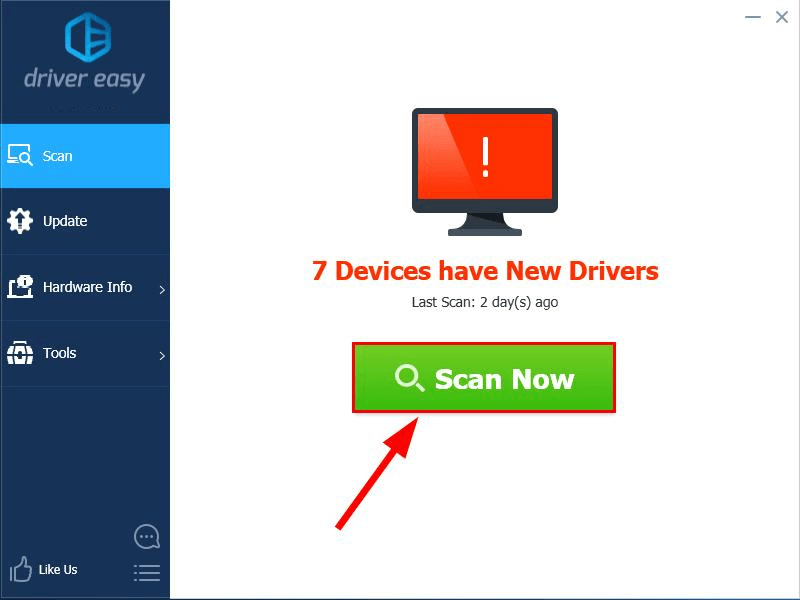
3) ClickUpdate All to automatically download and install the right version of all the drivers that are missing or out of appointment on your system (this requires thePro version – you lot'll exist prompted to upgrade when you click Update All).
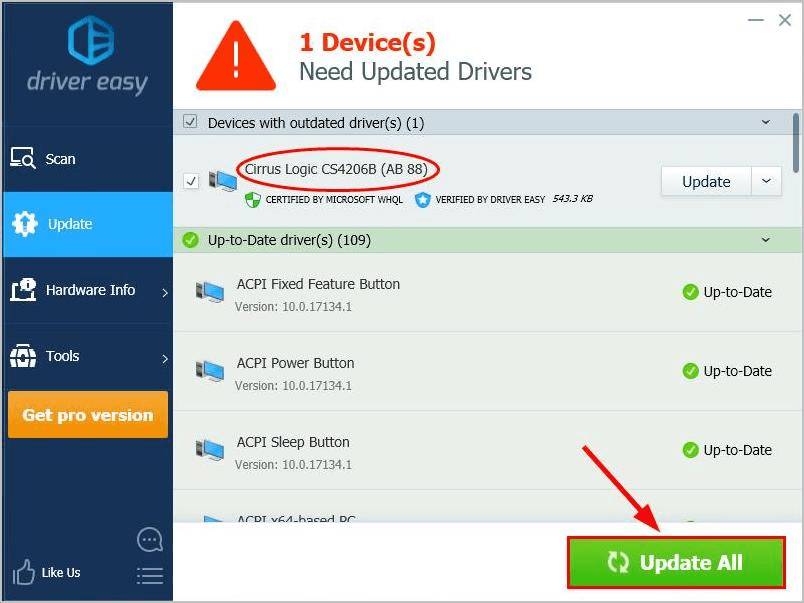
4) Restart your figurer, then play some videos in YouTube to see if the audio out of sync problem has been sorted out. If yep, then great! But if the problem persists, move on to Fix iii, below.
Fix 3: Disable hardware dispatch (If you're using the YouTube web version)
If this sound and video out of sync on YouTubeproblem only occurs in YouTube web (instead of the desktop app), y'all can effort disabling hardware dispatch in your browser.
Here's how to do information technology:
I'one thousand using Google Chrome:
I'm using Firefox:
I'm using Google Chrome:
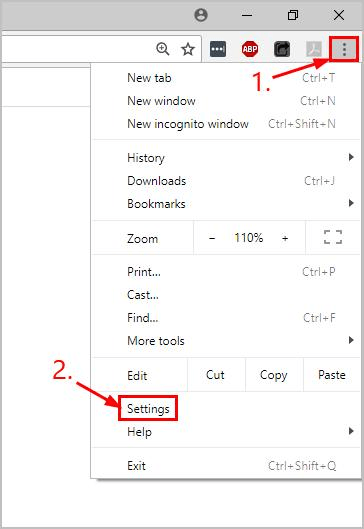
i) In Chrome, in the top correct corner, click on the three vertical dots button > Settings.
ii) Curlicue downwards to the bottom and clickAdvanced.
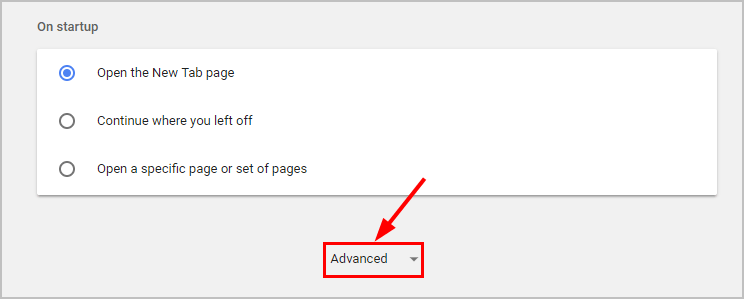
3) Scroll down to the bottom and inSystem, disable the toggle side by side toUse hardware acceleration when available.
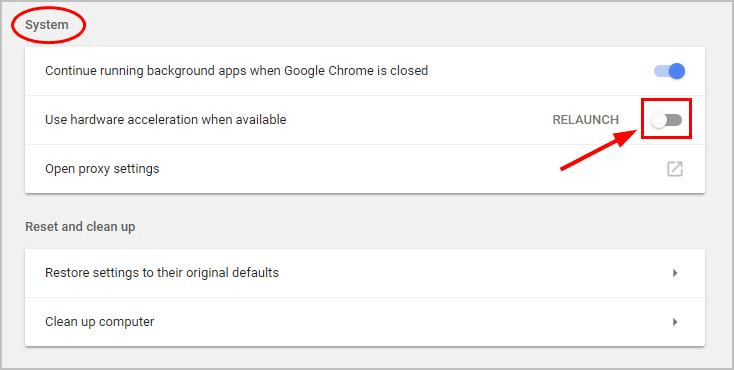
4) Re-launch Chrome, play a video in YouTube and hopefully the audio and video out of sync issue has been solved. If yes, then congrats! If the outcome remains, please try Fix 3, below.
I'1000 using Firefox:
1) In Firefox, click the menu button >Options.
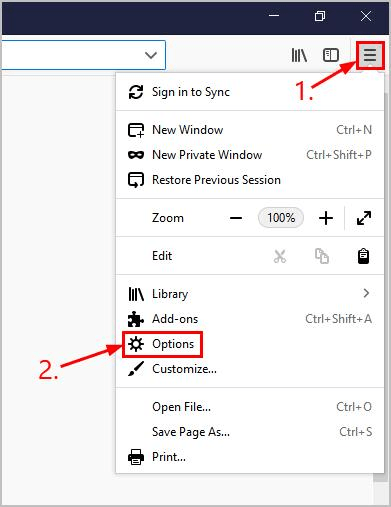
2) Roll down toPerformance, then united nations-chequethe boxes beforeEmploy recommended performance settings andApply hardware acceleration when bachelor.
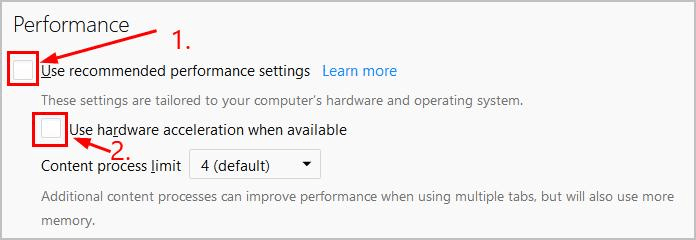
3) Re-launch Firefox, play a video in YouTube and hopefully the audio and video out of sync issue has been solved. If yes, so congrats! If the outcome remains, delight try Fix three, below.
Fix 4: Update or reinstall YouTube (If you're using the desktop app)
This audio and video out of sync trouble may occur if there'southward an ongoing upshot with desktop YouTube you're using. You can cheque Windows Store to come across if there're whatsoever updates available, or reinstall the app.
Audio and video nevertheless out of sync on YouTube? Delight endeavor Fix 5, below.
Fix 5: Is it a connection problem?
If the steps above didn't prove helpful, then you can run a real-fourth dimension connection speed exam to see if it's a network connection issue.
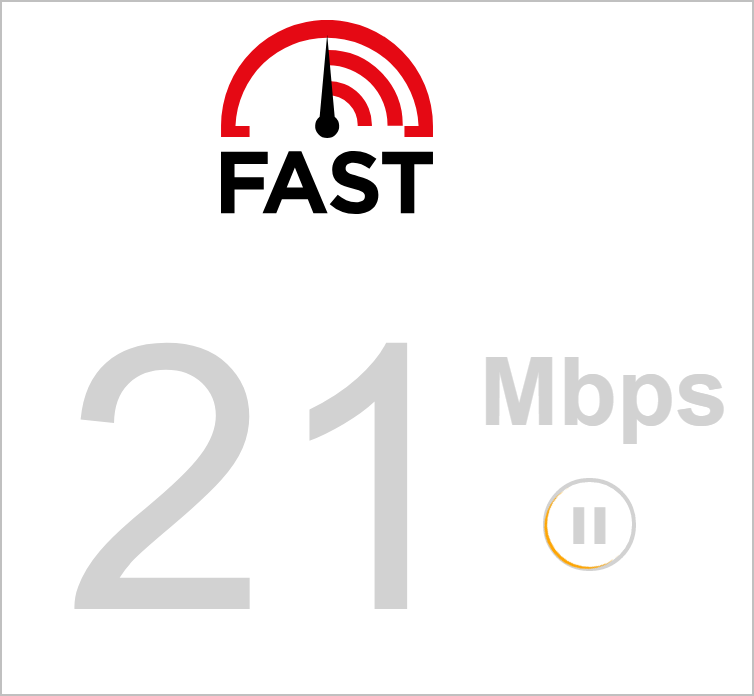
If your connection speed is slower than usual, then you might have to troubleshoot the slow Internet problem offset.
Hopefully yous have successfully resolved the audio and video out of sync on YouTube past now. If yous have any questions, ideas or suggestions, please let me know in the comments. Thanks for reading!
12
12 people found this helpful
DOWNLOAD HERE
Posted by: pontonothess.blogspot.com